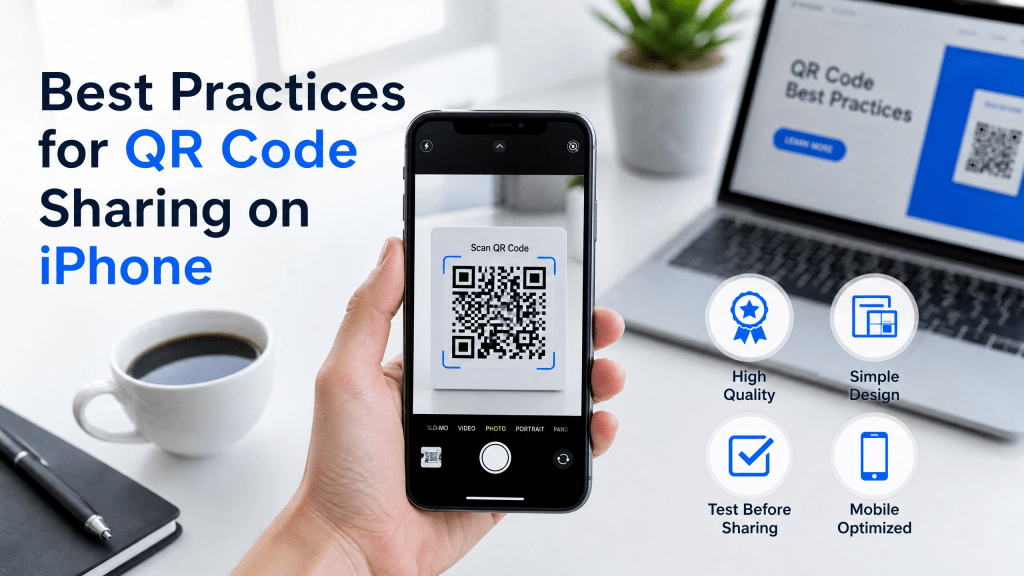
QR codes have become one of the fastest ways to share information digitally. From website links and contact details to files and event tickets, QR technology is now deeply integrated into everyday smartphone use.
For iPhone users, QR sharing feels almost effortless. Open the camera, scan the code, and access the content instantly. But while QR codes are simple to use, many people still make mistakes that reduce scanning accuracy, security, or usability.
In this guide, we’ll explore the best QR code sharing tips for improving the overall iPhone QR experience.
Keep QR Code Designs Simple
Custom QR designs may look attractive, but excessive styling can reduce readability.
Best practices include:
- Use dark QR codes on light backgrounds
- Avoid overly decorative patterns
- Leave sufficient white space around edges
- Keep logos small and centered
Simple designs usually scan faster and more reliably.
Why QR Code Sharing Is So Popular
QR codes simplify digital communication by removing manual typing.
Instead of copying long URLs or sending files through multiple apps, users can simply scan and open content immediately.
People commonly use QR codes for:
- Website sharing
- Digital business cards
- File transfers
- Event check-ins
- Restaurant menus
- Payment systems
- Wi-Fi access
Because almost every smartphone supports QR scanning, adoption continues growing rapidly.
Use High-Quality QR Codes
One of the biggest mistakes users make is sharing low-resolution QR images.
Blurry or compressed QR codes often fail to scan correctly.
For better results:
- Export QR codes in high resolution
- Use PNG or SVG format when possible
- Avoid screenshots with compression artifacts
- Maintain sharp contrast between background and code
Clear QR images improve compatibility across all devices.
Test QR Codes Before Sharing
Always test your QR code before publishing or printing it.
Check whether:
- The code scans quickly
- The destination link works
- Files open properly
- Mobile devices load the content correctly
Testing helps avoid broken experiences later.
Optimize QR Codes for Mobile Viewing
Since most QR scans happen on smartphones, mobile optimization matters.
For better mobile performance:
- Use mobile-friendly landing pages
- Avoid oversized downloads
- Keep websites responsive
- Ensure fast loading speed
A good mobile experience improves engagement significantly.
Improve Scanning Conditions
Even the best QR codes may fail under poor conditions.
To improve scanning reliability:
- Use good lighting
- Hold the phone steady
- Keep camera lens clean
- Maintain proper distance from the code
These small adjustments can dramatically improve scanning accuracy.
Use Reliable QR Scanner Apps
Not every QR scanner delivers the same performance.
I tried a few different QR code scanner apps, and the results were surprisingly different.
Some apps scanned instantly and handled blurry codes well, while others struggled even with high-quality QR images. Choosing a reliable scanner can improve speed, stability, and security.
If you want a simple QR scanning tool for iPhone, you can explore:
Scan QR Reader Tool
Use QR Codes for Document Sharing
QR codes are increasingly used for file and document sharing.
Instead of attaching files manually, users can create QR codes linked to:
- PDF documents
- Presentations
- Study materials
- Contracts
- Product brochures
This simplifies sharing across devices instantly.
For document-based QR workflows, this guide is useful:
Convert Documents to QR Codes Easily
This approach improves accessibility and mobile convenience.
Avoid Sharing Sensitive Information Directly
QR codes should not expose private information openly.
Avoid embedding:
- Passwords
- Personal IDs
- Financial information
- Private medical data
Instead, use secure links or encrypted systems when sharing sensitive content.
Static vs Dynamic QR Codes
Understanding QR code types helps improve long-term usability.
Static QR Codes
- Permanent content
- Simple and free
- Cannot be changed later
Dynamic QR Codes
- Editable destination links
- Better analytics and tracking
- Useful for businesses and marketing
Dynamic QR codes are usually better for ongoing campaigns.
Use QR Codes Across Multiple Devices
QR sharing works especially well across different devices:
- iPhone to Android
- Phone to desktop
- Tablet to laptop
This flexibility makes QR codes ideal for fast digital workflows.
Common QR Sharing Mistakes
Many users unintentionally reduce QR effectiveness by:
- Using blurry screenshots
- Printing codes too small
- Over-customizing designs
- Forgetting to test links
- Sharing expired URLs
Avoiding these issues creates a smoother user experience.
Why QR Sharing Matters More Than Ever
QR technology now powers:
- Mobile payments
- Contactless menus
- Event access systems
- Product authentication
- Social media campaigns
- Digital document distribution
As adoption continues growing, understanding good QR code sharing tips becomes increasingly valuable.
Future of QR Sharing on iPhone
QR technology continues evolving rapidly.
Future improvements may include:
- Faster AI-powered scanning
- Better malicious link detection
- Enhanced offline QR support
- Smart content previews
- Advanced document-sharing systems
This will make QR interactions even more seamless.
Final Thoughts
Effective QR sharing is about more than simply generating a code. High-quality images, reliable scanner apps, proper testing, and mobile optimization all play important roles in improving the iPhone QR experience.
By following these best practices, you can make QR codes easier to scan, safer to use, and more effective for sharing digital content.
Whether you are sharing websites, documents, or files, QR technology remains one of the fastest and most convenient communication tools available today.
Download the App
Want a better QR scanning experience on iPhone?


Leave a comment