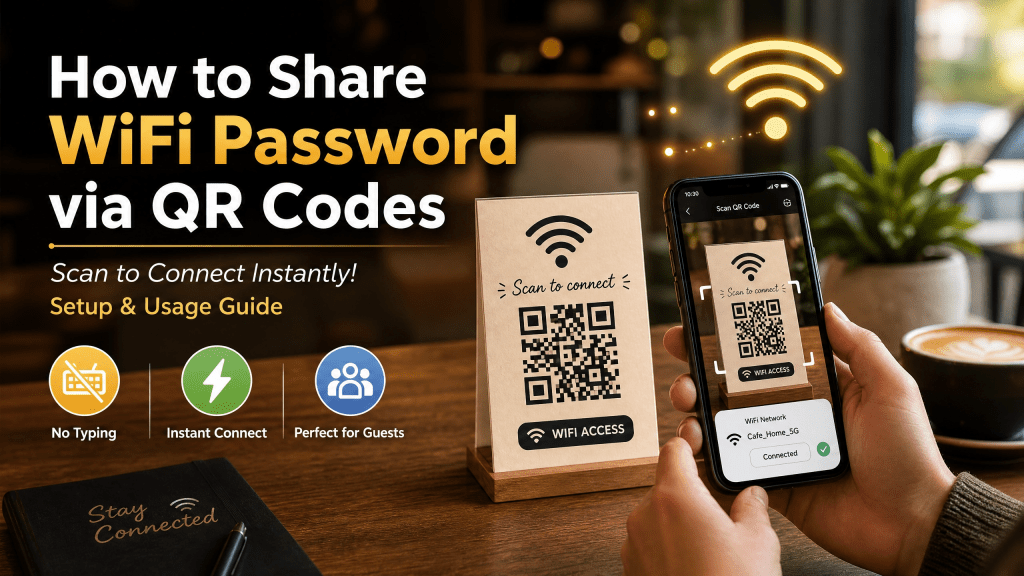
Sharing WiFi passwords used to be annoying. People had to type long passwords manually, deal with capitalization errors, or repeat the password multiple times for guests. Today, QR codes make the process much faster and easier.
With a simple QR code, anyone can connect to your WiFi network instantly by scanning the code with their smartphone camera. No typing is required.
This method has become extremely popular in homes, restaurants, hotels, offices, and small businesses because it improves convenience while reducing setup time.
In this guide, you’ll learn how to share WiFi passwords using QR codes on iPhone and why QR-based WiFi sharing is becoming the standard solution.
How to Create a WiFi QR Code
Creating a WiFi QR code is surprisingly easy.
Step 1: Gather Your WiFi Information
You need:
- Network name
- Password
- Security type (usually WPA/WPA2)
Step 2: Use a QR Generator
Open a QR generator that supports WiFi sharing.
Step 3: Enter the Information
Input your network details carefully.
Step 4: Generate the QR Code
The tool creates a scannable WiFi QR code instantly.
Step 5: Save or Print
You can now:
- Print it on paper
- Place it on walls
- Add it to menus
- Share it digitally
How to Scan a WiFi QR Code on iPhone
Modern iPhones support QR scanning directly through the Camera app.
Step 1: Open the Camera
Launch the iPhone Camera app.
Step 2: Point at the QR Code
Center the QR code inside the frame.
Step 3: Tap the Notification
A popup appears asking to join the WiFi network.
Step 4: Connect Instantly
Tap the notification and the phone connects automatically.
No password typing is necessary.
What Is a WiFi QR Code?
A WiFi QR code contains your network information, including:
- WiFi name (SSID)
- Password
- Security type
When someone scans the QR code, their phone automatically offers to connect to the network.
This eliminates typing mistakes and speeds up the connection process.
Why WiFi QR Codes Are Popular
QR-based WiFi sharing is useful in many situations.
Homes
Guests can connect instantly without asking for the password repeatedly.
Cafes and Restaurants
Customers scan the code directly from tables or menus.
Hotels
Hotels place WiFi QR codes in rooms for faster guest access.
Offices
Employees and visitors can join secure networks easily.
Events
Conference organizers often use QR codes for public internet access.
QR codes make the user experience smoother and more professional.
Why iPhone Users Prefer Simple QR Tools
Many QR apps include unnecessary features that make scanning slower and more confusing.
In my experience, a simple and fast QR scanner is way better than one with too many features.
Most users only need:
- Fast detection
- Reliable scanning
- Easy access
- Minimal setup
That’s why lightweight QR scanner apps remain very popular.
Best Practices for WiFi QR Codes
To improve usability, follow a few simple rules.
Print Large Enough
Small QR codes are harder to scan.
Use High Contrast
Dark codes on light backgrounds scan faster.
Place in Visible Areas
Make sure guests can easily find the code.
Test Before Sharing
Always test the QR code on multiple devices.
Keep Passwords Updated
If your WiFi password changes, update the QR code immediately.
Security Considerations
WiFi QR codes are convenient, but you should still think about security.
Avoid Publicly Sharing Private Networks
Do not post sensitive office or home networks online publicly.
Use Guest Networks
Businesses should ideally create separate guest WiFi access.
Change Passwords Periodically
Updating passwords regularly improves network security.
Monitor Connected Devices
Check who is using your network occasionally.
QR sharing is safe when managed properly.
QR Codes Beyond WiFi
QR technology is now used for much more than internet access.
Today people use QR codes for:
- PDF documents
- Restaurant menus
- Payments
- Event tickets
- Social media profiles
- Product information
- App downloads
For example, businesses can also convert PDFs to QR codes quickly to simplify document sharing on mobile devices.
Choosing a Good QR Scanner
A good QR scanner should focus on speed and reliability.
Important features include:
- Fast scanning
- Scan history
- Low-light support
- Secure link previews
- Clean interface
If you want a lightweight scanner for daily use, tools like Scan QR Reader are designed to make QR scanning easier for beginners and casual users.
Why QR Codes Continue Growing
QR codes became much more common after businesses started adopting contactless systems.
Today QR technology helps businesses:
- Reduce printing costs
- Improve customer convenience
- Simplify digital sharing
- Speed up onboarding
- Increase mobile engagement
Consumers also appreciate the convenience because scanning only takes a few seconds.
Final Thoughts
Sharing WiFi passwords through QR codes is one of the easiest ways to simplify internet access for guests, customers, and employees. Instead of repeating passwords constantly, you can let users connect instantly with a quick scan.
Whether you use QR codes at home, in a business, or during events, the process saves time while improving the overall user experience.
If you regularly scan QR codes on iPhone, you can also try the iPhone QR Scanner app for faster scanning and easier everyday QR access.


Leave a comment