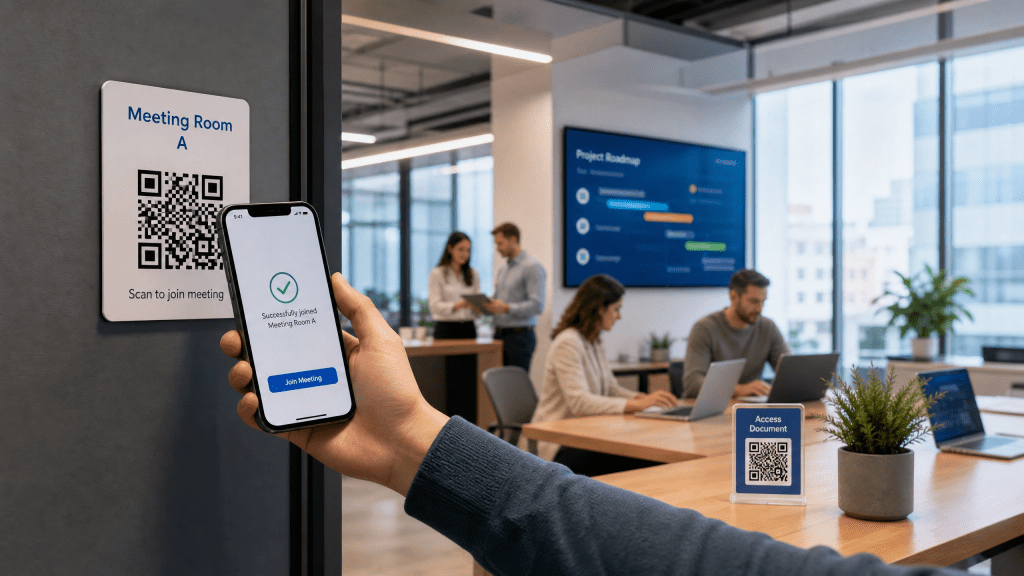
Modern offices depend on speed, organization, and smooth communication. Employees constantly share files, access documents, connect to meetings, exchange contact information, and manage internal resources across multiple devices. However, traditional workflows often involve unnecessary steps like typing long URLs, sending repeated email attachments, or searching through cluttered chat messages.
This is why many companies are integrating QR technology into their daily operations. A well-designed QR office workflow can reduce friction, improve collaboration, and simplify digital processes across teams.
In this guide, we’ll explore how businesses use QR systems to improve productivity, why mobile QR tools are becoming more important, and how iPhone users benefit from streamlined QR workflows.
What is a QR office workflow?
A QR office workflow uses QR codes to simplify business operations and information sharing.
Employees can scan QR codes to:
- Open documents
- Join meetings
- Access cloud folders
- Connect to office WiFi
- Share business cards
- Download reports
- Open onboarding resources
Instead of navigating multiple systems, users scan once and access information immediately.
Common office use cases for QR codes
Document sharing
Teams distribute PDFs and presentations quickly.
Meeting rooms
QR codes open schedules or conference links instantly.
Employee onboarding
New hires scan QR codes for training materials.
WiFi access
Visitors connect without typing passwords.
Inventory systems
QR codes help manage office equipment and assets.
Visitor check-ins
Reception workflows become faster and more organized.
Why QR workflows improve productivity
QR systems reduce unnecessary manual work.
Benefits include:
- Faster information access
- Less repetitive communication
- Better mobile collaboration
- Reduced printing costs
- Cleaner digital organization
Over time, even small time savings improve overall office efficiency.
Why QR codes are useful in offices
Traditional office workflows often create small but repeated inefficiencies.
Examples include:
- Sharing long file links
- Printing unnecessary documents
- Sending repeated attachments
- Manual WiFi setup
- Complicated onboarding steps
QR systems solve many of these problems with instant access through a simple scan.
QR codes and document management
Document sharing is one of the most common business QR use cases.
Employees frequently share:
- Contracts
- Reports
- Internal guides
- Presentations
- Policies
- Training documents
QR systems make these files accessible instantly through mobile devices.
This guide explains useful strategies for generating and managing PDF QR workflows: how to generate QR codes for PDFs instantly.
QR tools for iPhone users
Many offices now support mobile-first workflows.
Modern QR tools iPhone users rely on include:
- QR scanners
- Cloud document apps
- Dynamic QR generators
- File sharing systems
- Productivity apps
Because iPhones already support built-in QR scanning, implementation becomes much easier for teams.
Why scan speed matters at work
Office environments move quickly. Employees expect instant access to information.
One thing that really annoyed me was how slow some apps are at recognizing codes.
Slow scanning interrupts workflow and creates unnecessary frustration during meetings, presentations, or busy office tasks.
Dynamic QR codes for businesses
Dynamic QR systems are especially valuable in offices because they allow:
- Editable links
- Centralized updates
- Analytics tracking
- Better long-term management
For example:
- HR can update onboarding files
- Teams can replace presentation links
- IT departments can change documentation resources
Without needing to reprint QR codes.
QR codes for hybrid offices
Hybrid and remote work environments benefit heavily from QR workflows.
Examples include:
- Shared cloud folders
- Remote meeting access
- Team resource hubs
- Digital whiteboards
- Cross-device collaboration
QR systems simplify transitions between in-office and remote work.
Security considerations
Businesses should always prioritize security when using QR systems.
Recommended practices:
- Use trusted QR platforms
- Protect sensitive documents
- Monitor file permissions
- Avoid suspicious redirect services
- Remove expired links regularly
Secure implementation is essential for internal company resources.
Best practices for office QR systems
Keep QR design simple
Overdesigned codes scan more slowly.
Use high-quality printing
Blurry codes reduce reliability.
Test codes regularly
Always verify file accessibility.
Optimize mobile experiences
Most employees scan with phones.
Organize shared resources carefully
Clean file structure improves usability.
QR workflows reduce paper dependency
Many businesses are also using QR systems to reduce printing costs.
Instead of distributing:
- Printed manuals
- Paper forms
- Physical brochures
Companies now share digital versions instantly through QR codes.
This improves sustainability and reduces document clutter.
Employee onboarding with QR codes
QR workflows simplify onboarding by allowing new employees to:
- Access HR forms
- Read company policies
- Download training guides
- Join communication channels
- Set up devices quickly
This creates a smoother onboarding experience with less manual setup.
Common mistakes companies make
1. Tiny QR codes
Small codes are difficult to scan quickly.
2. Broken links
Expired cloud files create frustration.
3. Slow-loading documents
Large PDFs delay access.
4. Poor placement
Bad lighting or reflections reduce scan performance.
5. Overcomplicated workflows
Too many scanning steps hurt productivity.
Why simple QR tools work best
Many business apps try to include too many unnecessary features.
In reality, most employees prefer:
- Faster scanning
- Simple interfaces
- Reliable performance
- Quick file access
Simple tools often improve adoption across teams.
For users who prefer lightweight QR workflows, some tools focus specifically on fast and reliable scanning experiences: simple QR scanning tools.
Future of QR office workflows
Office QR systems are evolving rapidly with:
- AI-powered document routing
- Smart automation workflows
- Dynamic resource management
- Offline QR functionality
- Secure enterprise QR systems
As businesses continue moving toward mobile-first productivity, QR technology will likely become even more integrated into everyday operations.
Final thoughts
A well-designed QR office workflow can dramatically improve office efficiency by simplifying document sharing, reducing repetitive tasks, and supporting mobile collaboration.
Whether teams are managing meetings, onboarding employees, or sharing PDFs, QR systems reduce friction and improve accessibility across the workplace.
For users already working heavily from iPhone devices, lightweight mobile QR tools can also make everyday office tasks much faster and easier to manage: iPhone QR scanner app


Leave a comment