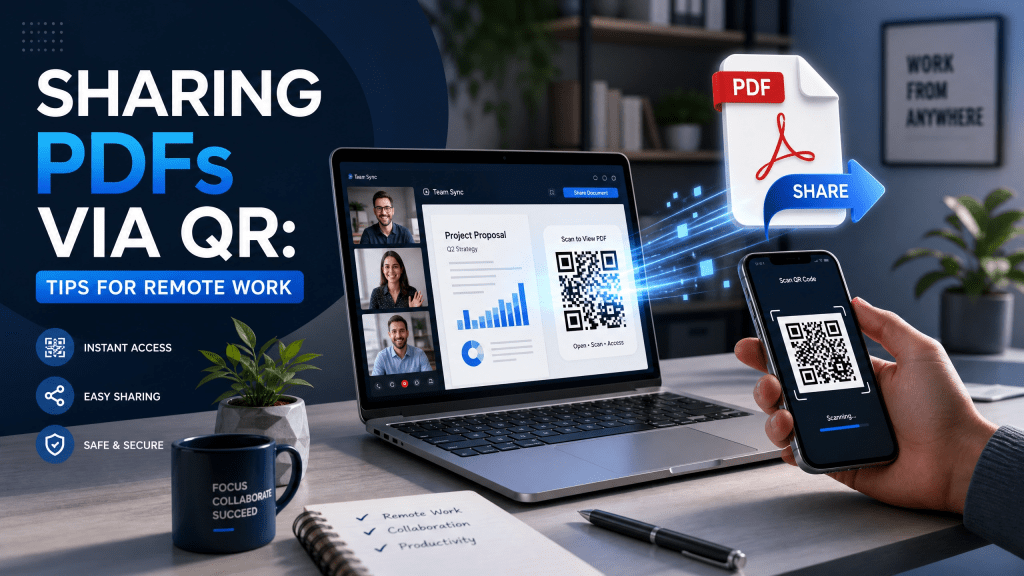
Remote work has transformed how teams communicate and share information. Instead of handing documents to coworkers in person, employees now exchange files digitally across multiple devices and locations. As remote collaboration grows, many professionals are looking for faster and simpler ways to distribute documents efficiently.
One solution becoming increasingly popular is using QR codes for PDF sharing. Today, businesses and remote teams frequently use remote work QR systems and share PDF QR code workflows to simplify communication, reduce friction, and improve productivity.
In this article, we’ll explore how QR-based PDF sharing works, why it benefits remote teams, and how mobile QR tools improve modern digital collaboration.
Why remote teams prefer QR workflows
Remote work environments depend heavily on speed and accessibility.
QR systems improve collaboration because they:
- Reduce repetitive file sharing
- Simplify mobile access
- Improve organization
- Speed up communication
- Minimize technical friction
This is particularly useful during meetings and fast-moving projects.
Why QR codes are useful for remote work
Traditional file-sharing methods can become frustrating.
Remote workers often deal with:
- Long email threads
- Lost attachments
- Broken links
- Version confusion
- Large file limitations
QR codes simplify the process by allowing users to instantly access PDFs through a quick scan.
Instead of searching through messages or manually typing URLs, coworkers can open documents immediately from their phones or laptops.
How PDF QR sharing works
The workflow is very simple:
- Upload the PDF online
- Generate a QR code linked to the file
- Share the QR image with your team
- Team members scan and open the document instantly
QR systems work especially well for:
- Reports
- Contracts
- Meeting notes
- Product presentations
- Training manuals
- Shared resources
Mobile access matters more than ever
Many remote employees work across:
- Smartphones
- Tablets
- Laptops
- Shared workstations
QR workflows support mobile-first productivity by simplifying access across devices.
Users can instantly scan and open documents without complicated login steps or lengthy navigation.
QR codes improve meeting efficiency
Remote meetings often involve multiple shared resources.
Teams commonly distribute:
- Agendas
- Presentation slides
- Shared PDFs
- Reports
- Action lists
QR codes help participants instantly access everything from one centralized scan.
This reduces time wasted searching through chats and emails.
Why businesses increasingly use QR PDF systems
Modern businesses now integrate QR workflows into:
- Team collaboration
- Employee onboarding
- Client presentations
- Product documentation
- Internal communication
QR-based access systems simplify remote workflows significantly.
Reliable QR apps are important
Not every QR tool performs consistently well in professional environments.
Some apps look good, but once you use them, you realize they’re not that reliable.
Users frequently encounter:
- Slow scanning
- Excessive ads
- Broken redirects
- Poor camera recognition
- Cluttered interfaces
Reliable QR performance becomes essential when teams need fast access during meetings or collaborative tasks.
Why lightweight QR tools work better
Minimal QR apps often provide:
- Faster scanning
- Cleaner interfaces
- Better stability
- Simpler workflows
Heavy apps with unnecessary features can slow down productivity and create distractions.
This is especially important for remote workers who rely heavily on speed and efficiency.
QR systems for document collaboration
QR codes help teams collaborate on:
- Shared reports
- Editable PDFs
- Team resources
- Training guides
- Company handbooks
Instead of repeatedly uploading files, organizations can simply update the destination content linked to a dynamic QR code.
Why iPhone QR workflows are growing
Many professionals already use iPhones daily for remote work tasks.
Modern QR tools help users:
- Share files quickly
- Open documents instantly
- Improve meeting workflows
- Simplify remote collaboration
This article discusses how QR systems are increasingly used in educational and collaborative environments: how to use QR codes to share homework.
Many users also rely on lightweight QR tools like Scan QR Reader for faster scanning and simplified document access.
Benefits of sharing PDFs through QR codes
Faster access
Documents open instantly after scanning.
Better organization
Teams centralize resources more effectively.
Reduced email clutter
Fewer repetitive attachments.
Easier mobile collaboration
Works smoothly across devices.
Improved flexibility
Dynamic QR systems allow easy updates later.
Dynamic QR codes vs static QR codes
Static QR codes
The PDF link cannot be changed later.
Dynamic QR codes
The linked document can be updated anytime.
Dynamic QR systems are especially useful for remote teams handling frequently changing documents.
Best practices for remote QR workflows
Use clear file names
Organized documents reduce confusion.
Test QR codes before sharing
Broken links disrupt collaboration.
Optimize PDFs for mobile viewing
Remote teams often use phones or tablets.
Use trusted cloud storage
Reliable hosting improves accessibility.
Keep QR designs simple
Complex visual designs may reduce scan speed.
Common mistakes teams make
1. Using unreliable QR apps
Poor performance slows workflows.
2. Sharing outdated documents
Employees may access incorrect information.
3. Overcomplicating systems
Simple workflows usually work best.
4. Ignoring mobile optimization
Remote workers frequently access documents on phones.
5. Using blurry QR images
Low-quality codes reduce scan reliability.
QR codes beyond PDF sharing
Businesses now use QR systems for:
- Event check-ins
- Internal dashboards
- Inventory management
- Employee onboarding
- Office access systems
- Customer support portals
QR technology continues expanding across remote and hybrid workplaces.
Future trends in QR collaboration
Future QR collaboration systems may include:
- AI-powered document management
- Smart access analytics
- Dynamic permissions
- Real-time collaboration tracking
- Integrated workflow automation
As remote work continues growing, QR systems will likely become even more important for digital collaboration.
Final thoughts
Modern remote work QR systems help teams simplify document sharing, reduce communication friction, and improve productivity across distributed work environments. Efficient share PDF QR code workflows provide faster access while supporting mobile-first collaboration.
As remote and hybrid work continue evolving, lightweight QR tools will remain an important part of efficient digital teamwork.
Some users who regularly work with QR workflows also explore lightweight iPhone tools such as this App Store app: QR Reader for iPhone


Leave a comment