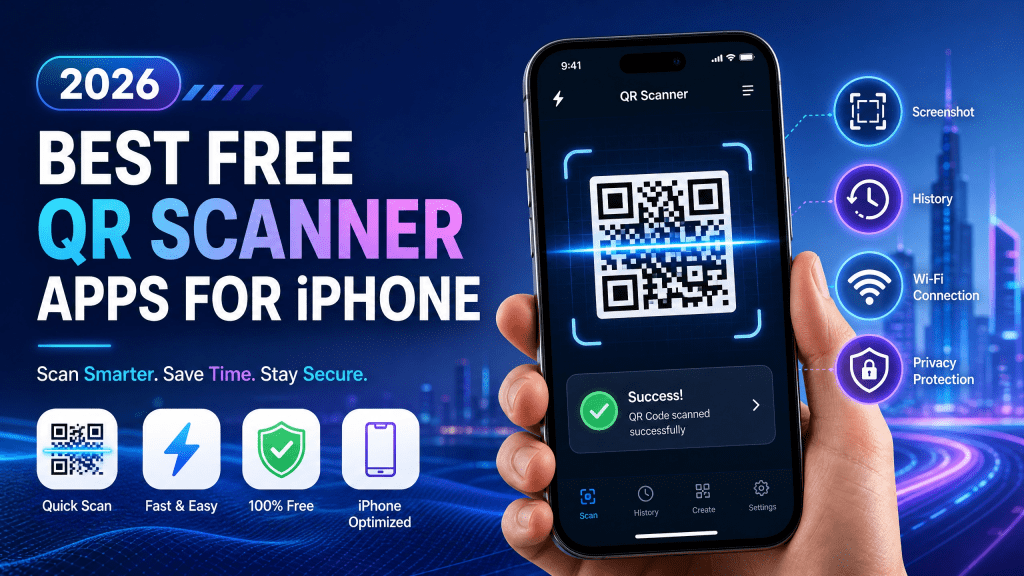
QR codes have become part of everyday smartphone use. People scan them for restaurant menus, app downloads, mobile payments, event tickets, Wi-Fi access, business cards, and website links. Although iPhones already include built-in QR scanning support through the Camera app, many users still prefer dedicated QR scanner apps for additional features and faster performance.
In 2026, QR scanner apps continue evolving with better recognition technology, screenshot scanning, offline support, and improved privacy protections. Some apps focus on speed and simplicity, while others add advanced tools like QR creation, scan history, cloud syncing, and low-light optimization.
This guide explores the best free QR scanner apps for iPhone in 2026, important features to consider, and tips for choosing the right app for daily use.
Features to Look for in a QR Scanner App
Not every QR app offers the same quality or performance. Before downloading one, users should consider several important features.
Fast Recognition Speed
A good scanner should recognize QR codes almost instantly without excessive focusing delays.
Screenshot Scanning
Many people receive QR codes through:
- Messages
- Emails
- Social media
- Saved images
Modern apps should support scanning directly from screenshots.
Offline Scanning
Some apps now support free QR scanner iOS functionality even without internet access for locally stored QR content.
Minimal Advertisements
Excessive ads can interrupt the scanning experience and slow down performance.
Privacy Protection
Reliable apps should avoid unnecessary data collection or tracking.
Simple User Interface
Clean layouts improve usability and reduce confusion.
Why People Still Use QR Scanner Apps on iPhone
Apple’s built-in Camera app works well for basic QR recognition. However, many users want more advanced capabilities.
Dedicated QR apps often provide:
- Faster scanning
- Screenshot recognition
- Scan history
- Batch scanning
- Better low-light performance
- QR creation tools
- Offline QR reading
- Security filtering
For users who scan QR codes frequently, these extra features can improve convenience significantly.
Why Lightweight QR Apps Usually Work Better
Many QR scanner apps attempt to include too many features at once:
- Social feeds
- Browser systems
- Games
- Shopping integrations
- AI assistants
These additions often reduce scanning speed.
In my experience, a simple and fast QR scanner is way better than one with too many features.
The best QR apps focus on:
- Speed
- Stability
- Reliability
- Ease of use
Best Types of QR Scanner Apps in 2026
Different users need different scanning tools depending on their habits.
Everyday QR Scanners
These apps focus on:
- Fast recognition
- Clean design
- Reliable performance
Perfect for general users.
Business QR Tools
Business-focused scanners may include:
- Analytics
- Bulk scanning
- Team sharing
- Dynamic QR management
Privacy-Focused QR Apps
Some users prefer apps with:
- No account registration
- Minimal permissions
- Offline processing
Multi-Purpose QR Apps
These combine:
- QR creation
- Barcode scanning
- Document sharing
- Link management
Common QR Scanning Situations in 2026
QR technology continues expanding across industries.
Restaurants
Digital menus remain common worldwide.
Transportation
Airlines and transit systems rely heavily on QR tickets.
Payments
Mobile payment QR systems continue growing rapidly.
Business Networking
Digital business cards use QR sharing extensively.
App Downloads
Developers often share install links through QR codes.
Education
Schools use QR systems for assignments and resource sharing.
Built-In iPhone QR Scanner vs Dedicated Apps
Many users wonder whether they actually need a QR app.
Built-In Camera Advantages
- Already installed
- Simple to use
- No extra storage needed
- Secure Apple integration
Dedicated App Advantages
- Screenshot scanning
- QR history
- Faster autofocus
- Better damaged-code recognition
- Offline tools
For occasional scanning, the Camera app may be enough. Frequent users often benefit from specialized tools.
How Offline QR Scanning Is Improving
Offline QR support has become increasingly important.
Many users now need QR access while:
- Traveling internationally
- Flying
- Riding subways
- Attending crowded events
- Working in weak-signal areas
Modern iPhone QR apps increasingly support:
- Screenshot decoding
- Offline ticket access
- Local QR processing
- Cached scan history
This improves reliability when internet access becomes unstable.
Common Problems With Poor QR Apps
Unfortunately, many free QR apps still suffer from major issues.
Excessive Ads
Some apps display ads after every scan.
Slow Recognition
Poor autofocus systems delay scanning.
Privacy Concerns
Certain apps collect unnecessary user data.
Fake Security Warnings
Some low-quality scanners use misleading alerts to push subscriptions.
Unstable Performance
Frequent crashes reduce reliability.
Users should always check reviews and permissions before installing new apps.
Tips for Faster QR Scanning on iPhone
Regardless of the app used, several habits improve scanning performance.
Keep the Camera Lens Clean
Dust and fingerprints affect image clarity.
Use Good Lighting
Bright environments improve recognition speed.
Hold the Phone Steady
Avoid motion blur while focusing.
Increase Screen Brightness
When scanning codes from another screen, brightness matters.
Avoid Damaged QR Images
Blurry or compressed QR codes scan more slowly.
Security Tips for QR Scanning
QR codes themselves are not dangerous, but malicious links can create risks.
Before opening unknown QR codes:
- Verify the source
- Preview the destination URL
- Avoid suspicious redirects
- Be cautious with payment requests
Good QR apps often provide safer preview systems before opening links automatically.
Future Trends for QR Scanner Apps
QR technology continues evolving rapidly in 2026.
Upcoming improvements include:
- AI-enhanced recognition
- Smarter screenshot scanning
- Better low-light performance
- Augmented reality integration
- Cross-device syncing
- Improved fraud detection
As mobile ecosystems grow more connected, QR scanning will likely become even more integrated into daily life.
Final Thoughts
QR scanners remain essential tools for many iPhone users in 2026. While Apple’s built-in camera handles basic scanning well, dedicated QR apps often provide additional convenience, faster recognition, screenshot support, and offline functionality.
The best free QR scanner apps focus on simplicity, speed, and reliability rather than overwhelming users with unnecessary features.
Whether you scan event tickets, restaurant menus, payment codes, or app links, choosing the right QR scanner can make the experience faster and far more convenient.
Download the iPhone QR Scanner App here: QR Scanner for iPhone


Leave a comment